
First Things First: What does a POS actually do?
POS stands for point of sale. It's the system your employees use to take orders and accept payments. In a café, an employee might select a latte and croissant on a screen, take the customer's payment, and send the order through. But the sale doesn't really end at the register. Once that croissant is sold, you have one fewer available. Your sales numbers have changed, you've collected money, and your records need to reflect what happened.
If you use separate systems for each part of your business, you may have to move information from your pos into spreadsheets, accounting software, inventory tools, and other apps. That means more work for you and more chances for mistakes. Odoo works differently because its Point of Sale can link up with other parts of the same system. Let's look at what happens to our croissant and latte order.
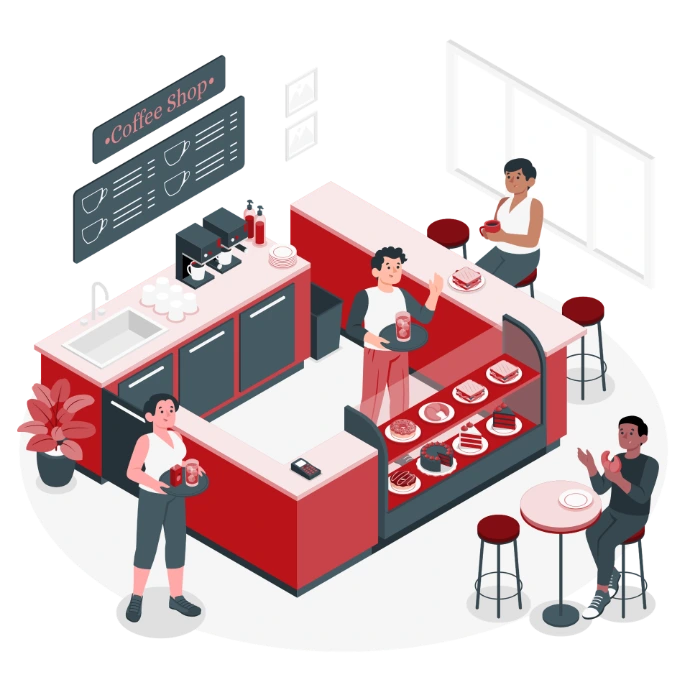
Step 1: The customer places an order?
The customer orders one croissant and one latte, and your employee enters the order into Odoo POS. The customer pays, the sale is recorded, and the order moves forward. The customer gets their order and goes on with their day. Behind the scenes, the information from that sale can move through the rest of your system.
That's where having a connected pos becomes useful. Instead of the information staying at the register, other parts of your business can use it too.
Step 2: Your inventory changes?
You just sold a croissant, which means you now have one fewer available. When your pos and inventory are connected, Odoo can use sales information to help keep your inventory records up to date. You don't have to wait until the end of the day and manually enter every item that was sold. This becomes even more helpful as your café grows. Maybe you sell coffee beans, mugs, bottled drinks, pastries, or other products. Maybe you start taking large catering orders or open another location.
The more products you sell, the harder it can be to keep track of everything by hand. An integrated system gives you a clearer view of what you have and what is selling.
Step 3: You know when it's time to restock
No café wants to run out of a popular item during the morning rush. You also don't want to suddenly realize you're almost out of coffee beans, cups, packaging, or other supplies. When your sales, inventory, and purchasing are connected, you have better information about what needs to be restocked. Odoo can help you track stock levels and manage when products or supplies need to be reordered.
Instead of relying only on someone remembering to check the shelves, your team has information in the system to help make those decisions. The result is simple: less guessing and fewer surprises.
Step 4: Your Sales connect to accounting
At the end of the day, you still need to know how the business is doing. How much did you sell? What payments came in? Where is that money recorded? If your pos and accounting software are separate, someone may have to move information from one system to another. That can mean exporting reports, entering numbers by hand, or checking that the totals in two different systems match.
With Odoo, your pos and accounting can work within the same system. Your sales information can connect with your financial records based on how your Odoo system is set up. When you're handling hundreds of transactions every week, cutting down on extra data entry can save your team a lot of time.
Why does having everything connected matter?
You don't need an ERP to run a café. For a small business, that setup may work just fine for a while. The problem starts when those tools stop making your job easier. Maybe you're entering the same information into two different systems. Your inventory numbers don't match what was sold. Someone forgets to update a spreadsheet. You have to open three different programs just to answer one simple question about your business.
That's when having everything working together starts to make a big difference. The real question isn't just, "Can a café use Odoo as a pos?" It's also, "What happens after the customer places the order?" That's where an ERP can help.
What happens when your Café grows?
Imagine your one café becomes three locations. Now you have more registers, employees, inventory, suppliers, products, and sales to keep track of. If every location uses separate tools and spreadsheets, things can get confusing quickly. You may spend more time gathering information than actually using it to make decisions.
An ERP brings those different parts of the business together. Instead of adding another spreadsheet or another app every time your business grows, you can manage more of your work in one system. You also don't have to use every Odoo app from the beginning. You can start with the tools your business needs now and add more as your needs change.
Does every small Café need an ERP?
No. If you run a small café and your current pos does everything you need, there's no reason to make your setup more complicated. The better question is whether your business has become too complicated for your current tools.
Maybe you're adding more products or opening another location. Maybe you're spending too much time moving information between systems. Maybe inventory is getting harder to track, or your team is doing the same work more than once.
Those are signs that it may be time to look at a more connected system. You don't have to be a huge company to benefit from an ERP. What matters is whether it can solve a real problem for your business.
From one croissant to the whole business
Let's go back to our first customer. They order a croissant and a latte at the pos. The sale changes your inventory. Your inventory helps you know what needs to be restocked. The payment connects with your financial records. To the customer, it was just breakfast. To the business, that one order was connected to several different tasks happening behind the scenes.
That's the real value of using Odoo POS as part of an ERP. It's not just about ringing up a latte. It's about connecting the register to the rest of your business, so your team can spend less time moving information around and more time running the café.
Your POS shouldn’t operate in a silo. Connect your sales, inventory, and accounting to simplify what happens behind the counter.
Ready to connect your POS to the rest of your business?