
Odoo 20 AI agents: AI that works directly on your data
Records created and updated on request
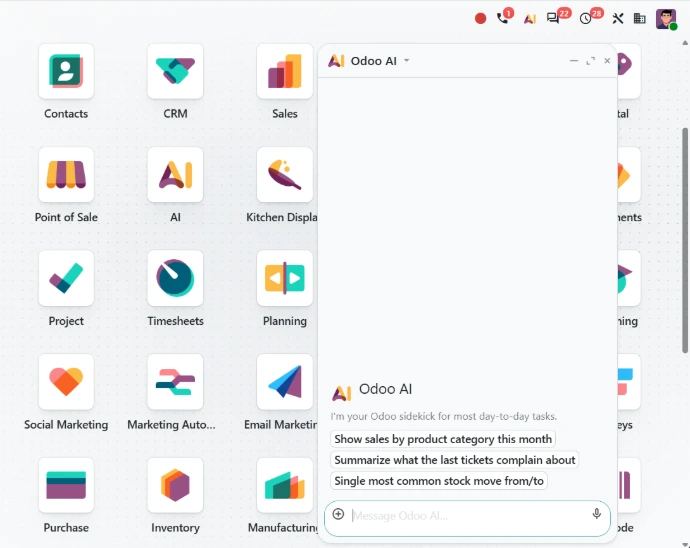
The first change is easy to state: the agent no longer just comments on your data; it works with it. In practice, you can:
- Create records: ask an AI agent to create anything for you, including by adding an instruction file such as a PDF
- Update existing data: ask it to update records already in your database
- Give it context: upload files and link documents directly in the conversation, or ask questions about a file while previewing it
- Talk to it: dictate requests through voice interaction, which makes it easier to use for employees who are not always at a keyboard
For business teams, this means being able to hand over part of the repetitive data entry that fills their days, provided you clearly define which tasks can be handed over.
Skills that specialize each agent
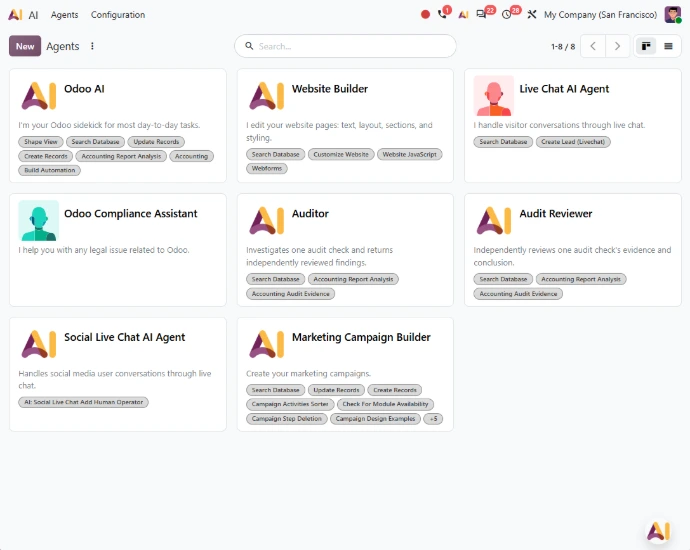
Odoo 20 renames "topics" to "skills." A skill is a collection of instructions and tools that defines how an AI agent behaves in a specific context. It is the building block that lets you specialize an agent for a given job or process, rather than handing the task to a general-purpose AI. Default prompts can now include added context and dynamic values, and agents can update themselves to better fit their use cases.
On the technical side, you select an AI provider and Odoo automatically picks the best AI model for the task at hand. Your IT team doesn't have to choose between models for every use case.
Agentic automation: the Odoo AI agent joins your workflows
This is the change that most directly affects your recurring processes. Agents can now be summoned by automated and scheduled actions. An agent thus becomes part of your workflows just like a business rule: it is triggered by an event or on a schedule, and handles the request using the skills you have assigned to it.
This autonomy comes with controls that matter to IT teams and business managers alike:
- Automation chats: you review how agents handled each automation, then request changes based on the errors they encountered
- Tool call limit: when an agent reaches its maximum tool call limit, it prompts the user for confirmation before proceeding
- One-click answers: its questions, permission requests and suggestions can be answered by clicking buttons, which keeps a human in the loop on the decisions that call for one
- Live updates: instead of a generic "AI is thinking" message, agents show specific, live updates on the task in progress
- Role-based avatars: each agent is given an avatar based on its assigned role, so your teams know which agent they are working with
IT teams: connecting Odoo to your AI tools with MCP
Your teams may already be using AI assistants outside the ERP. Odoo 20 lets you connect to your database via MCP (Model Context Protocol). The release notes introduce this capability without detailing how it works in practice. For IT teams, it is therefore best approached as an integration and governance topic to work through before opening anything up: which tools to authorize, which data they can reach and with what permissions. To explore these scenarios, take a look at our approach to AI in Odoo.
Customer service, marketing, finance: AI built into your apps
Beyond general-purpose agents, AI in Odoo 20 is spreading into business apps. In Helpdesk, AI detects similar tickets to provide your teams with suggested answers. For a services company whose customer service team often receives closely related requests, this directly supports more consistent replies. The same team can ask an agent to create or update records by providing a file, such as a client's request in PDF, and record its Discuss calls to get summaries of what was said. It is a good place to deploy an AI support assistant. In Live Chat, when an AI agent mentions supported records, the conversation can show rich, clickable cards instead of plain record names.
Other teams benefit in their daily work as well:
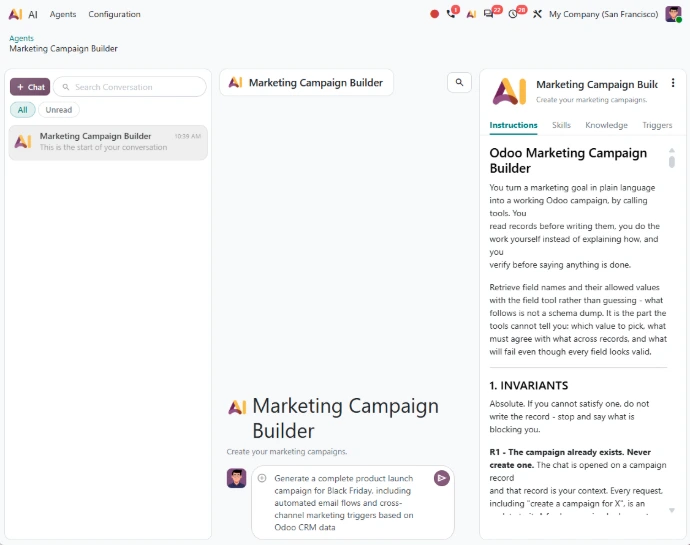
- Marketing Automation: marketing and communications teams can rely on the AI assistant to help set up their campaigns
- Social media: the AI assistant helps write posts
- Website: the Website AI agent can create new web pages and edit your forms or menu
- Vendor bills: Odoo suggests bill line elements based on bill history and the label, while still preserving values entered manually
For a distribution company whose accounting and finance team records purchase invoices on an ongoing basis, that last change means less repetitive data entry.
IAP credits: a usage budget to manage from day one
One change deserves your attention before any rollout: all AI features in Odoo 20 now need credits, which can be bought via IAP. That applies to agents as well as the AI assistants built into the apps. For executives, AI usage therefore becomes a consumption item to manage, like any other service. Before automating at scale, it makes sense to identify the processes where an agent adds real value, estimate the volumes involved and track consumption over time.
Getting started: begin with a task, not a feature
Agentic automation is built step by step. A prudent approach is to start from a task your teams find repetitive, well defined and already documented. You then define the skill that frames the agent's behavior and connect it to an automated action, keeping human approval on sensitive steps. Automation chats then become a learning tool: they show how the agent handled real cases and where to adjust it, before you consider extending it to other teams.
Getting this right means weighing your executives' priorities, your IT team's security rules and your credit budget. A structured AI integration approach helps you make these trade-offs in the right order, so the agent genuinely improves your teams' everyday work.
Which process should you hand to an AI agent first?
Talk to our consultants to review one of your processes, from customer support to client record follow-up in services, and assess, on your own data, whether an AI agent fits there and under what conditions.