
Already trusted by many companies, Odoo ERP has been upgraded with the release of version 17. The platform already offered comprehensive project management features, enabling businesses to plan better and manage their projects more efficiently.
Project design focused on customisation
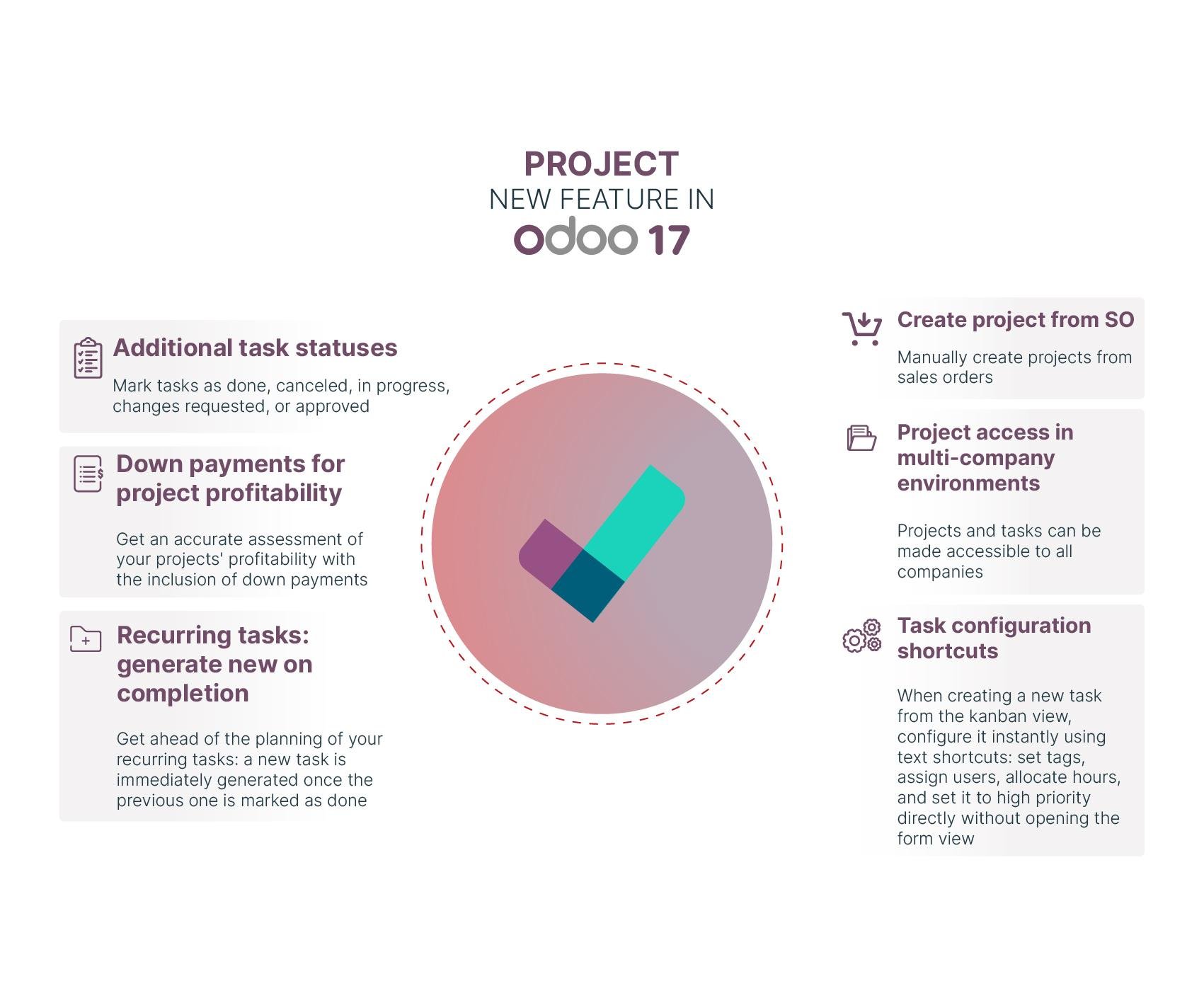
Create a project from a customer order
It is now even easier to create a project directly from a customer order. This can be done manually based on the relevant orders and requirements in Odoo v17.
Create customer orders from projects
Conversely, the ERP lets you create customer orders on the fly based on your projects and tasks. You will save time by carefully choosing your configurations.
Optimised project planning and management
Schedule tasks without assigned time
Odoo 17 introduces a project-focused feature that helps your business by simplifying task management and project tracking without allocated time. You can plan multiple tasks in batches without assigning a specific duration. This capability, available in the Gantt view, supports sequential planning.
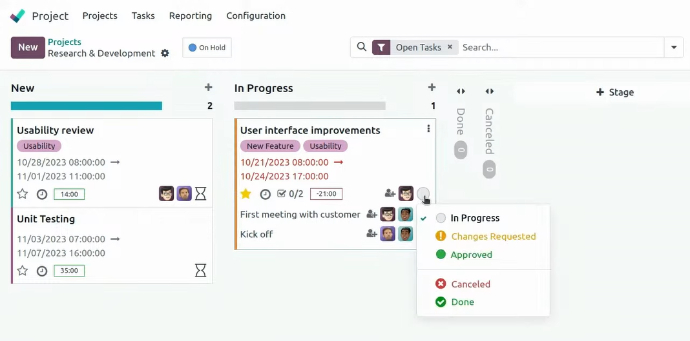
Make use of additional task statuses
Odoo v17 is designed to improve how you track the progress of each task. You can freely update the status of tasks, marking them as "done", "in progress" or "cancelled". In addition, you can configure statuses to add options such as "change requested" or "approved" when the process is completed.
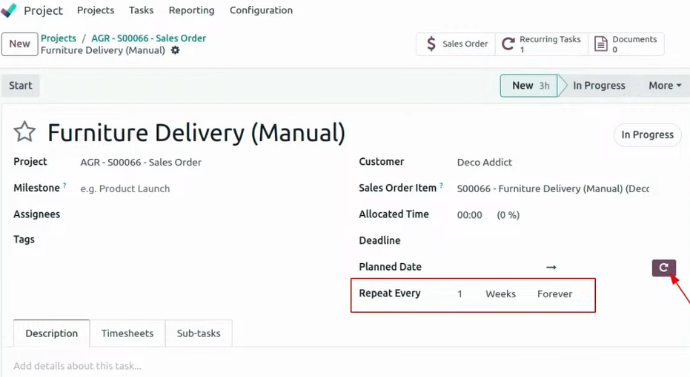
Generate new tasks upon completion for recurring tasks
You can stay ahead by scheduling all your repetitive tasks. A new task will automatically be created once the previous one is marked as "completed". This major time-saver lets you concentrate on other work involved in running your business.
Accurately assess your profitability
Odoo v17 is a powerful system for defining profitability for each project. With down payments now included in the new options, you can accurately measure the real profitability of all your projects.
Optimise the processing of your sub-tasks
The ERP gives you the option to receive dependency alerts on Kanban cards. These notifications are useful for improving the management of your company's sub-tasks. You can see your sub-tasks visually on a task's Kanban card, making it easy to check if they are blocked by another task. This feature improves the visual display and understanding of potential task and sub-task interdependencies in a ERP.
Simplified accessibility
Make your project accessible to a wider audience
Accessibility issues are a priority in multi-company environments. Odoo v17 introduces an innovative feature that allows you to share access to your projects and tasks. This access covers not only your own team, but also all your partner companies.
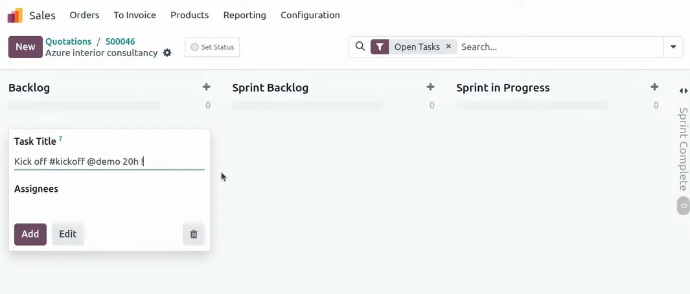
Configure your tasks with new shortcuts
With the integration of task configuration shortcuts, you can save time when creating new tasks. You'll be able to generate them in the Kanban view without having to open the form view. These text shortcuts make it easy to access tasks and enable instant configuration. You can allocate hours, assign users, set labels, and set high priorities based on your needs.
Manage your Odoo ERP with Captivea
Captivea, as leader of Odoo implementation worldwide is the best Odoo partner that you can choose!
If you are looking for more information about project management in Odoo and how to grow your company, don't hesitate to contact us!
Please read Odoo 17 release notes