
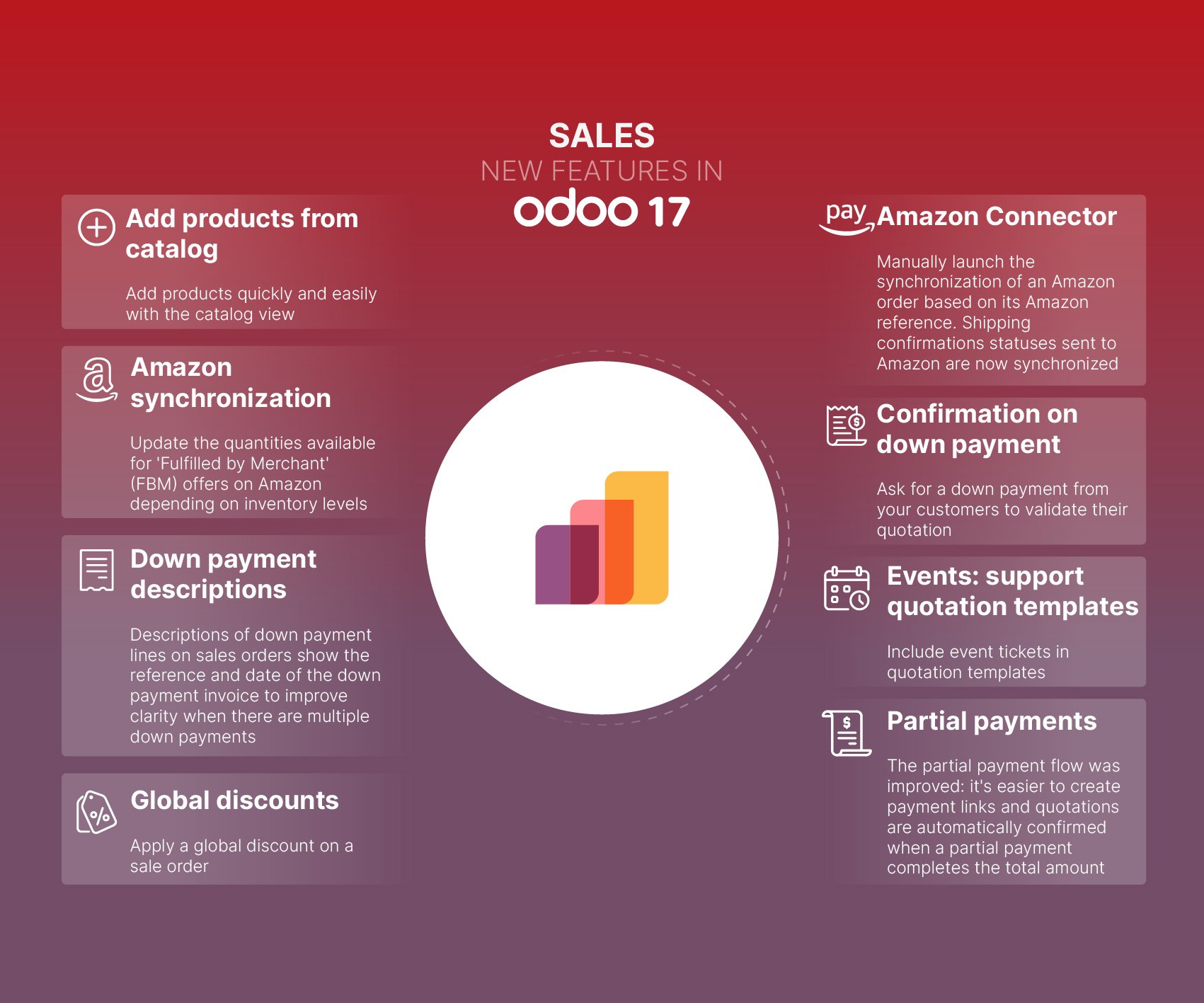
Odoo evolves each year, and it's not stopping anytime soon. The arrival of version 17, its latest release, allows this powerful ERP system to offer innovative features. Numerous updates have been made, particularly in the Sales module of the platform.
Odoo 17 has made many updates to the Sales module, improving efficiency and effectiveness in business operations. With improved functionalities and a user-friendly interface, managing your sales processes has never been easier.
Manage all your data in a single management software
Import products from a catalogue
With the Odoo 17 update, you can now improve your sales process by easily adding your products to a customer's order. This purpose is served by a catalogue view. You can simply proceed with the addition, with the ability to adjust all details according to your needs.
Before, we had to add each product from a list. With Odoo 17, you can do this using detailed icon views of the products. Attractive visuals will enhance the relevance of these icons. You'll identify product ranges easily through the images.
Effectively organise your product documents
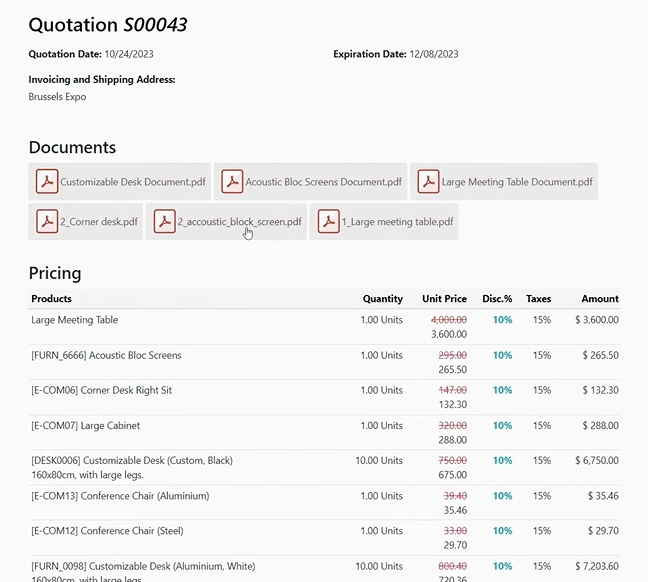
Do you want to automate certain processes, including document management? Odoo v17 allows you to share them with your customers when sending your quotes.
You just need to pre-set this functionality by linking the relevant documents to your products. This automatic sending will also occur upon order confirmation.
Sync your sales with Odoo 17 and Amazon
With the Amazon connector, you can now manually synchronise an Amazon order with Odoo v17 based on its reference. The same applies to shipping confirmations sent to Amazon.
From Odoo to Amazon, you'll have the option to synchronise FBM (Fulfilled by Merchant) offers. You can effectively update the available quantities on Amazon in relation to your stock levels. In any case, using the Amazon connector will save you valuable time.
Analyse your commercial performance and development areas with optimised reports
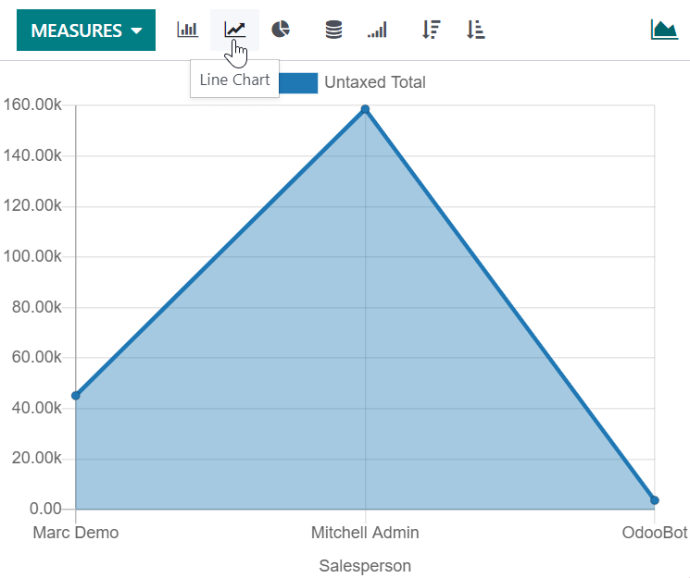
Odoo 17 provides your company with the "Sales Reports" tool to monitor its sales strategy and operations. You get real-time data regarding each stage of your sales process.
V17 has the advantage of creating sales reports in just a few seconds. To get detailed analysed information on different topics (sales, sellers, products, and customers), open the "Reports" menu. You'll also be able to modify the view of each report by clicking on the "Measures" tab. You'll have access to a varied list of settings depending on the type of chosen report.
Another new feature with Odoo 17 Another new feature with Odoo 17 is that you can reset lines to zero regarding your PDF reports. In concrete terms, lines containing zero quantities will no longer be visible in your product variant table.
Optimise your sales management
Take advantage of an enhanced quote module
Odoo integrates additional features for sending quotes. You have, among other things, a PDF quote builder at your disposal.
Sending attractive and conversion-optimised quotes will be useful. You just need to upload your own PDF files before inserting them. They will then serve as header pages, product pages, and footer pages.
Furthermore, the quote templates offered in the ERP will now include event tickets. You can also mass cancel quotes. You can delete them all at once via the list view.
Customise your discount and loyalty programmes
The ability to launch personalised discount programmes is one of the key advantages of Odoo. With the arrival of v17, you will be able to apply general discounts on orders. In addition, the system will not apply any tax to fixed discounts.
Odoo also introduces several changes to loyalty programmes. You can now schedule your promotions in advance by adding a start date to each one.
With v17, you can run customer campaigns based on their price lists. You can also add a statistics button on customers to access their loyalty cards from the form view.
Streamline your payment flows
Automate your partial payments
The "partial payments" feature in Odoo has also been enhanced. You can now benefit from a more efficient partial payment flow.
Creating payment links will be easier. Furthermore, if a partial payment covers the full transaction amount, the system will automatically confirm your quotations.
Integrate your down payments directly into your order
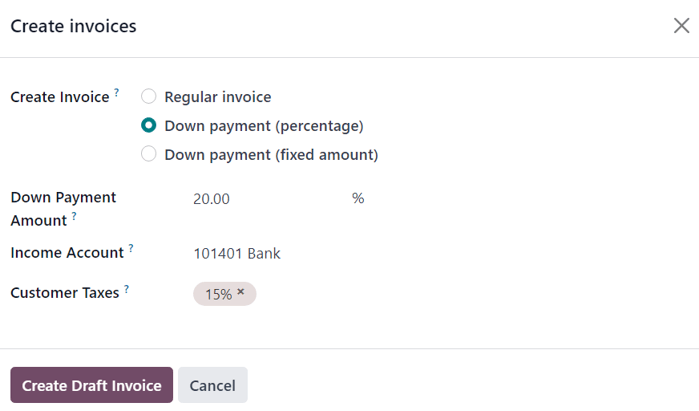
Odoo 17 will integrate descriptions of down payment lines into your customer orders. You can indicate the date and reference of each down payment invoice. This allows you to manage multiple down payments at the same time.
Another innovation is that you can now get confirmation with each down payment. You just need to ask your customers to pay a down payment to validate their quote.
Optimise your business operations with Captivea
Captivea, as a leader in Odoo implementation worldwide, is the best Odoo partner you can choose!
If you want your business to grow, do not hesitate to contact us!
Please read Odoo 17 Sales app release note