Your CRM solution lets you manage relationships with your customers and prospective customers, and track all your interactions with them. The ERP solution, meanwhile, helps businesses manage all their operational processes: procurement, sales, human resources, and so on. Odoo is a complete, highly modular product, and therefore naturally comes with a CRM solution.
Nevertheless, some businesses have their own customer relationship management software running in parallel with their ERP software. In that situation, what is the right approach? Which data should be synchronised, and how should it be configured? Here are some pointers to guide you in deploying your solutions.
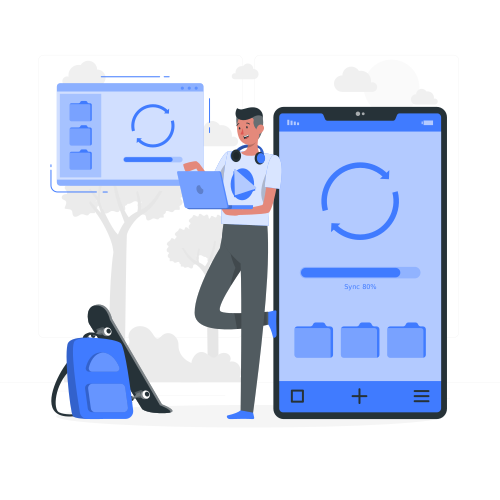
Which data should be synchronised?
To create full synergy between the CRM and ERP software, it is essential to synchronise the core data: customer accounts, various user accounts, and information relating to contacts (customers and prospects). This way, you improve your efficiency, achieve better customer tracking, enhance profitability, and centralise all information and administrative documents.
This convergence provides a 360° view of the customer: from the customer's order history to managed interactions, accounting data and after-sales service. But that’s not all: this inter-connectivity also enables you to remove friction from the business’s processes. As such, you can avoid re-entering information, reducing the risk of errors or duplication. That is why proper management of data synchronisation is essential.
Which software holds the master data?
It is certainly important to link the two tools and synchronise their data sets. However, it is essential to bear in mind that each piece of software will retain control over its own data. All information relating to billing, stock management and procurement will be managed by the ERP system, while sales and marketing data will be stored in the CRM solution.
Any change must be entered in the correct software. It will then be updated automatically in the other system. This way, all employees will have a real-time view of the business’s activity.
If there is any discrepancy between the data, simply refer to the “master” software. For example, if a customer’s phone number is not the same in both systems, the number saved in the CRM software will serve as the reference, and the ERP system will be synchronised and updated accordingly.

Which information should be fed from the ERP to the CRM solution?
While the ERP can be considered the backbone of the enterprise, it is not necessary to synchronise all its data with the CRM solution. The core objective is to share and enhance the value of the organisation’s data. However, only customer-related information will be useful: orders and invoicing. You can decide whether to synchronise all invoices and orders automatically, or only selected ones (over a specific period, for example).
What level of detail should be configured?
This depends on what you want to get out of the data. If you wish to improve follow-ups with your customers, simply feeding back the order amounts and dates will be sufficient. However, if you would like to obtain more detailed statistics and use that data for sales purposes, we recommend that you synchronise every line of each order and invoice. This way, you will be able to analyse your sales by product and line item, then fine-tune your management and even your production mix accordingly.
While there is no longer any doubt that ERP and CRM complement each other, successfully achieving this remains a strategic issue for businesses and requires a well-structured organisation. The quality of the preparatory work will determine the outcome of the project. Enhanced responsiveness and performance will be on the cards once these two tools are successfully synchronised.