
Vendor bills: less data entry with Odoo 20 accounting
Bill lines prefilled from your history
Entering vendor bills remains one of the most repetitive tasks in any accounting department. In Odoo 20, when you encode a bill, manually or via import, Odoo suggests line elements based on the bill history and the label. Product, account, tax, analytic distribution and vehicle are pre-encoded automatically based on the best matches.
What matters most for your internal controls is that values manually encoded on existing lines are still preserved. Your accountants stay in charge of every allocation: the suggestion saves them from rebuilding a line they have entered before, without overriding a correction they made. It is a concrete step to automate invoicing while keeping a human approval process.
Easier-to-read bill options
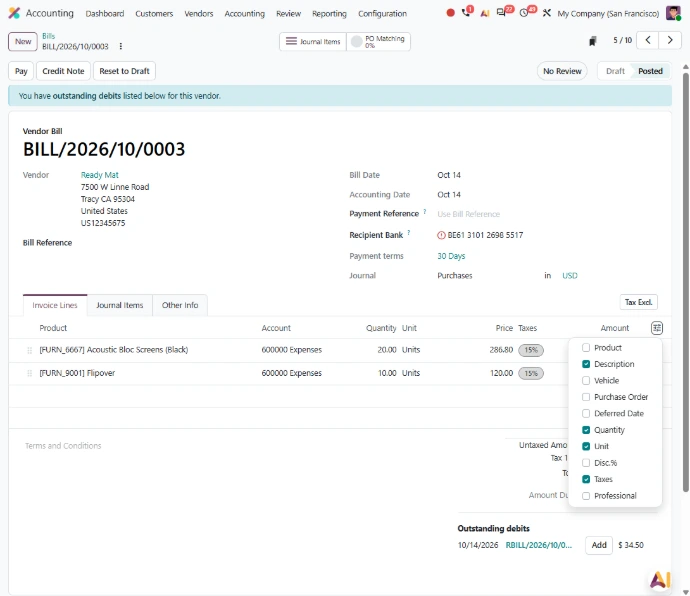
Reviewing a vendor bill also becomes more comfortable. Options added to a bill, such as depreciation models, vehicles and deferred payments, are now displayed vertically below the account rather than horizontally. When an accountant checks a bill before posting it, that information reads as an extension of the allocation, which makes it easier to review lines that carry an asset or an expense to be spread over time.
Payments: vendor bills paid without leaving Odoo
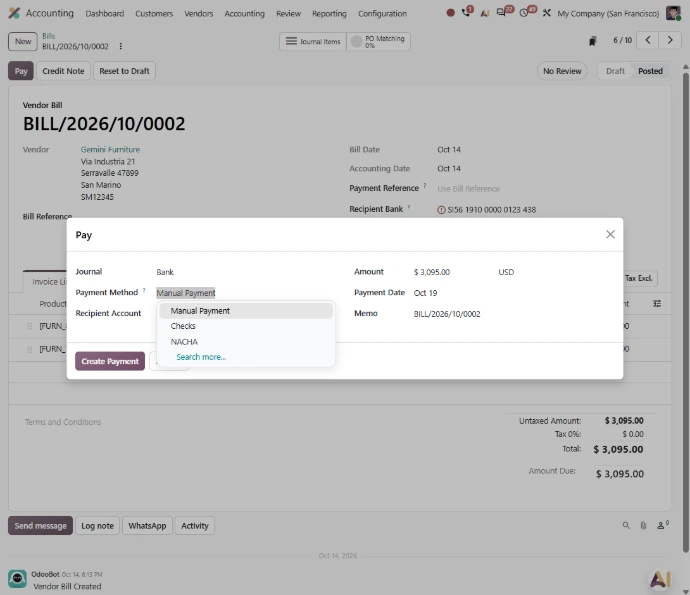
Once bills are approved, payment is often a separate step handled in another tool. With the new PISP (payment initiation service providers) interface, bills can be paid individually or in batches, with a single signature, directly from Odoo.
For a finance leader, the benefit is first and foremost organizational: the payment process stays inside the ERP, right next to the approved bills, and whoever signs the batch does so from the same data the accounting team has reviewed. Batch payment with a single signature also suits teams that organize their supplier payments in runs.
Foreign currency: more transparent conversions
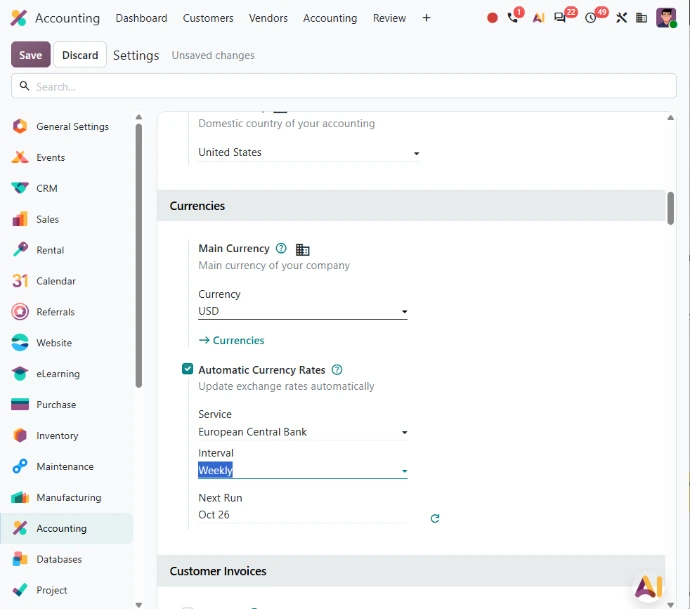
For a company that buys, sells or consolidates in several currencies, the question is not only how much an amount converts to, but on what basis. Odoo 20 answers this in two complementary ways. Conversion rates are now clearly displayed when recording payments in a foreign currency, so your accountant can check the rate applied at the very moment the payment is recorded.
In addition, the exchange rate date is displayed when total amounts are converted from one currency to another. That information, useful during an account review, is now visible without extra steps. For a group operating across several regions, both changes improve the traceability of conversions.
Closing and inventory: more direct valuation entries
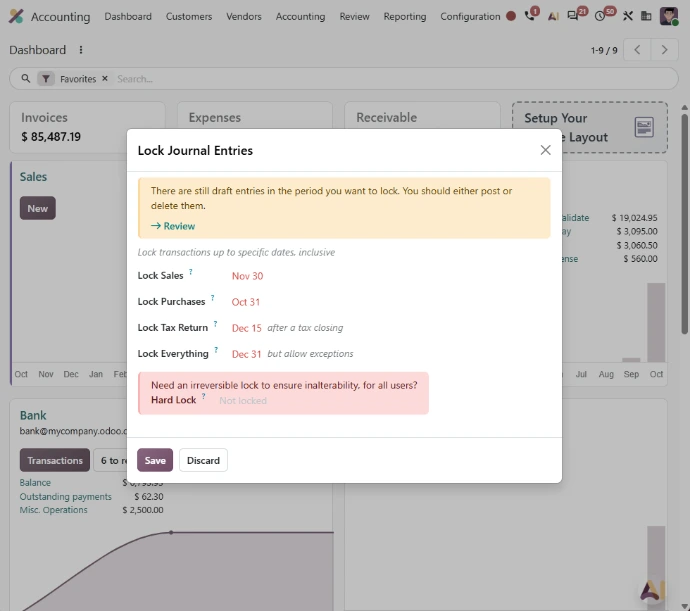
The close is when the link between accounting and inventory becomes critical, especially in manufacturing, where every receipt of materials and every vendor bill affects inventory value. In perpetual accounting, accrual entries that impact inventory valuation can now be created directly from the inventory valuation closing report: Bills To Receive, Billed Not Received, Invoices To Be Issued and Invoiced Not Delivered. The generated journal entry impacts the inventory valuation account directly instead of transiting through the stock variation account.
Along the same lines, when a product's cost changes after it has been delivered or used, for example through a landed cost or because the bill price differed from the purchase price, the delivery's value is updated retroactively, and so is the invoice cost when you use perpetual accounting. For a manufacturing company whose material costs can shift between the purchase order, the receipt and the bill, these two changes bring inventory value and cost of goods sold closer to actual costs, and give the accounting team a more direct close.
Chart of accounts and bank: clearer governance
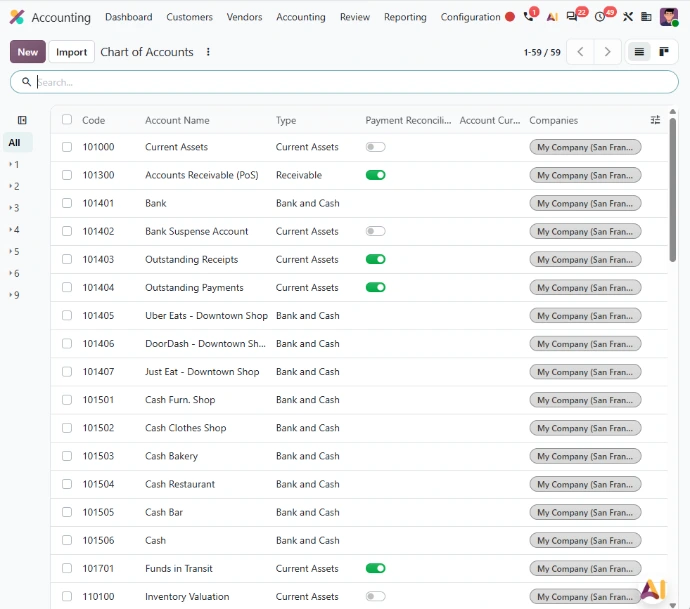
Odoo 20 changes how charts of accounts are structured: account groups have been replaced by parent accounts, and account codes are now optional. For a group harmonizing charts of accounts across subsidiaries, or a team that wants a clearer hierarchy in its reports, it is a good time to revisit how accounts are organized. On the bank side, all journal entries impacting bank accounts must now originate from bank transactions, which prevents manual journal mismatches. Together, these changes make Odoo Accounting a stronger foundation for your finance processes.
Reporting: billing targets measured against billable time
For professional services firms, financial performance is also decided before the invoice is issued. The timesheets dashboard now lets you compare invoicing targets with actually billable time. Finance leaders can follow, together with operational managers, the gap between what was planned and what can actually be billed, before that gap shows up in revenue.
Upgrade: getting your accounting ready for Odoo 20
Several of these changes directly affect how your team works and deserve a review before any upgrade:
- Chart of accounts: the move to parent accounts calls for a review of how your accounts are structured
- Bank entries: requiring them to originate from bank transactions may challenge some manual entry habits
- Payments: the PISP interface means deciding who prepares batches and who signs them
- Closing in France: the localization adds pre-configured annual report templates (plaquettes) compliant with official PCG standards, to factor into your closing calendar
The challenge is as much organizational as it is technical: supporting users, adjusting internal controls and checking your banking integrations, so that the new version genuinely lightens your accountants' workload. That is where the transformation of your finance team really happens, well beyond the version change.
Is your accounting ready for Odoo 20?
Talk to our consultants to pinpoint the changes that matter most for your finance team, from inventory valuation to supplier payments, and get your accounting ready for the new Odoo 20 features.