
Implementing it makes it easier to customize batch numbers for flexible reservation management and to apply the “Least packages” strategy to reduce packaging waste. This new version delivers greater operational efficiency. Discover how Odoo 17 streamlines change tracking, inventory configuration, and improves stock management with features like barcode scanning. Automate your stock management and gain accurate, real-time visibility into your company’s financial situation.
Prepare orders more efficiently with Odoo 17
Take advantage of more efficient order management
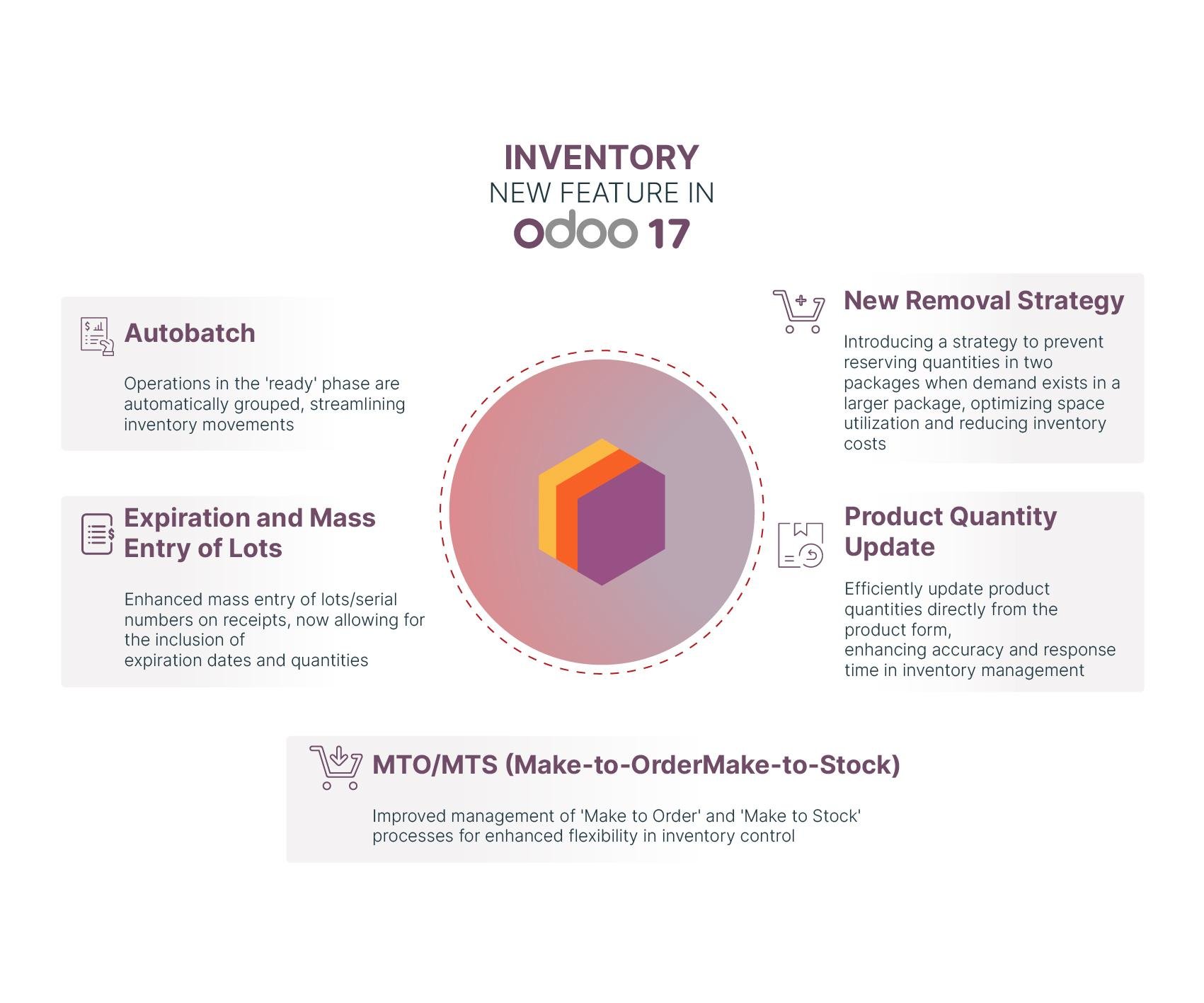
Odoo 17 integrates the “Batch Assignment” feature in this new version, allowing you to automatically generate batch numbers for products that don’t yet have them. This improves stock traceability within your company.
With this update, you can also manage product reservations more flexibly and effectively, enabling your company to generate reservations based on product availability.
Customize your products with Odoo
Odoo 17 gives you the best way to define Incoterms for each product in your inventory, making communication with your business partners easier.
Additionally, the “Lot/Serial number properties” feature provides comprehensive, accurate management of products with unique batch or serial numbers.
Boost operational efficiency by improving time and cost management
Odoo 17 inventory module introduces a new withdrawal approach called “Least packages,” designed to optimize order preparation, minimize packaging waste, and increase operational efficiency.
This strategy involves optimizing stock management by avoiding allocating quantities in multiple packages when a single larger package can fulfill the demand. Using this strategy, you can improve your productivity and customer satisfaction.
Odoo also integrates other features, such as “FIFO product cost” to optimize costs and working time. This allows you to manage the cost of your products using the First In, First Out (FIFO) method, aiding in cost maintenance between sold products and products stored in your company, as well as providing accurate financial reports.
This integrated management system allows you to calculate the value of your inventory using actual product costs, providing you with a precise real-time view of your company’s financial situation.
Optimize your inventory
Improve your change tracking process
Odoo 17 allows you to quickly and easily visualize product packaging when processing inventory-related documents, through the integration of the “Display packaging on documents” option.
To facilitate tasks during your product inventory, Odoo v17 integrates an option that allows you to track changes in stock levels over time. This update of product quantities will facilitate your stock level management.
Simplify your inventory configuration
When conducting inventories in Odoo , you can specify the printing process based on the type of operation. This saves time by only printing documents useful for each operation.
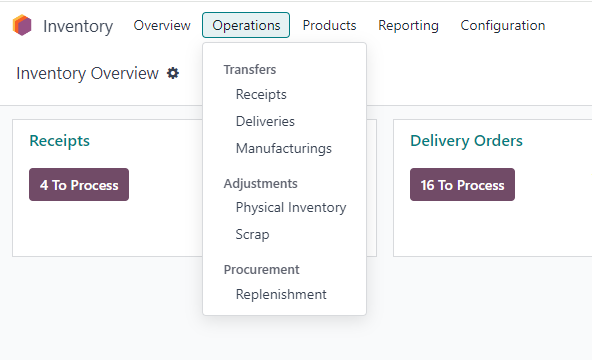
Additionally, “The operations menu” feature also allows you to manage inventory-related operations in your company efficiently and in an organized way. The operations menu in the Inventory module of Odoo 17 also provides a way to precisely control your stock and quickly detect any errors.
Improve your inventory management process
Minimize manual entries with barcode scanning
By using barcode scanning integrated into receipt reports, you can speed up process steps. This will allow you to start the next phases more quickly by minimizing manual entries and improving operational efficiency.
Similarly, to ensure product availability in your company and efficiently manage your inventory, Odoo integrates the “Reserve/Cancel reservation” button feature.
Easily manage stock movements
Additionally, Odoo incorporates the MTO and MTS method in this module. It automatically checks the availability of your stock products (MTS) or whether they need to be manufactured or purchased (MTO), based on your needs.
Your company can optimize resource utilization and reduce manual effort related to operations management through the “Shipment-based routing” feature in Odoo 17.
With this new version, you can make a significant improvement by simplifying the process of transferring your products from one location to another within your company.
Automate your inventory management with Odoo software
Furthermore, the “replenishment enhancement” feature also gives you the opportunity to automate and optimize your inventory management by automating the replenishment process.
At the end of inventory, you can automatically generate a report that allows you to track and analyze how long your inventory has remained in the warehouse. All of this is possible thanks to the integration of the “Stock Aging Report” feature.
Improve your inventory control using the Odoo Inventory module
Captivea, as leader of Odoo implementation worldwide is the best Odoo partner that you can choose!
If you are looking to learn more about Odoo dashboards and how they can help your company, don’t hesitate to contact us!
Please read Odoo 17 release note